


Birthday Invitation Card Maker
4.754.00 Reviews
App Specs
- Version
- 5.0.0
- Updated On
- License
- Free
- Downloads
- 1,000,000+
- Developer
- Galaxy studio apps
- Categories
- Art & Design
- Platform
- Android
Screenshots
 Analysis by AppCompare
I usually reach for a birthday invitation maker when the date is close and I want something more personal than a plain text message, but I don’t want to spend an evening learning a full design program. Birthday Invitation Card Maker is aimed at that quick, approachable task: making a birthday card or invitation without needing professional design skills. I’d consider it for family gatherings, children’s parties, or a last-minute get-together where a clear, cheerful invite matters more than elaborate artwork.
That convenience depends on having a simple plan before opening the editor. Decide what guests need to know—whose birthday it is, when and where the party takes place, and how to respond—then keep the wording ready to paste or type. A design can look lively and still fail as an invitation if the practical details are hard to spot. I’d draft those details first, then choose colors and decoration around them rather than trying to squeeze the information into a finished design afterward.
Where invitation-making can get fiddly
The most common snag with creative apps is not necessarily a crash; it is losing time to choices. When several designs or decorative options catch your eye, it is easy to keep adjusting details that guests may barely notice. I find it helps to pick one visual direction early—playful, simple, or more formal—and stop once the invitation is readable and feels appropriate for the occasion.
Personal photos can also make a design feel warmer, but they need a little care. Before using a picture, I’d check that the subject is easy to see at the size it will appear and that the image suits the people receiving the invite. A busy background can compete with the wording, so a simpler photo may work better than a technically attractive one. If the invitation is for a child’s party, a photo is optional; a clear theme and legible details can do the job without adding one.
Another useful check is to read the invitation as if you were a guest who knows nothing about the plan. Is the date easy to distinguish from the time? Does the location make sense? Is there enough context to understand what kind of celebration it is? Those small checks are more valuable than adding one more sticker or decorative flourish.
Make a quick setup plan
Before creating anything, I’d make sure the device has enough room to handle the image I want to use and that the source photo is easy to find. That avoids interrupting the design process to search through a crowded gallery. If the app does not behave as expected, closing and reopening it and trying again with a smaller or different image are sensible general steps; they don’t require assuming that the invitation itself is damaged.
It also helps to decide how the finished card will be used. A design intended for a printed handout needs comfortable text size and clear contrast, while a version sent in a chat should be understandable on a phone screen. I would check the result at the size a guest is likely to view it, rather than judging only from a zoomed-in editing screen.
Worth Reading Before You Choose

EA SPORTS FC Mobile 26 Is a Bigger Football Game, but It Takes Time

Flipboard Shows What News Apps Must Do Beyond the Feed

Switching to Android Auto Means Rethinking Your Driving Routine

Google Calendar Makes a Crowded Week Easier to Manage

Ludo King Makes the Most of the Minutes Between Plans

Baby Panda World Brings Quick Play to Modern Phones, but Its Game Library Feels Busy
Because the app is free to install and includes in-app purchases priced from $0.99 to $99.99 per item, I’d pay attention to any purchase prompt while exploring. You do not need to treat every paid option as necessary to make an invitation. If a feature is presented as an upgrade, consider whether it solves a real need before spending; a one-off birthday card rarely calls for paying for extras just because they are visible.
Designing Your Perfect Invite
Right off the bat, the first thing that struck me was how incredibly user-friendly the Birthday Invitation Card Maker is. As soon as you open it, you're greeted with a sleek and intuitive interface that just screams, "Let's get creative!" Whether you're tech-savvy or a complete novice, this app makes it super easy to design beautiful invitations in just a few taps.
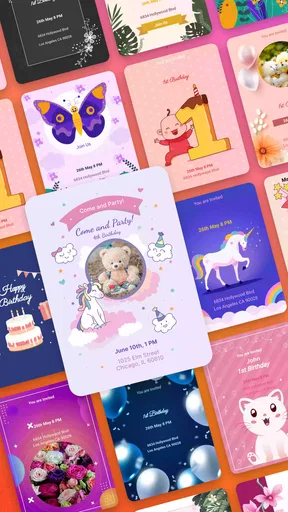
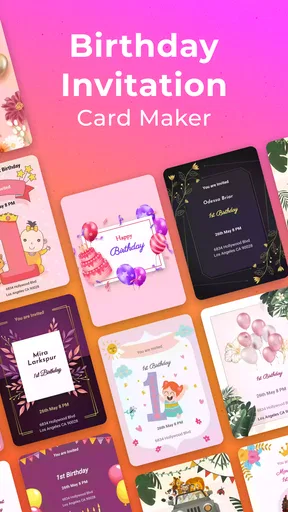
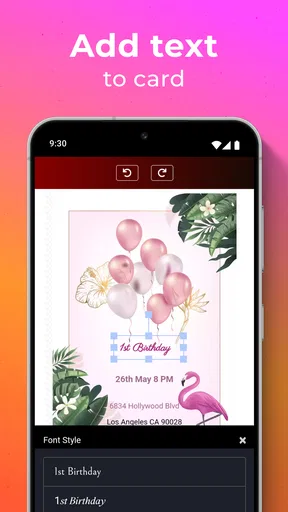
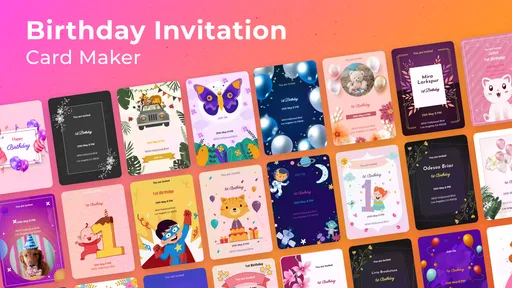
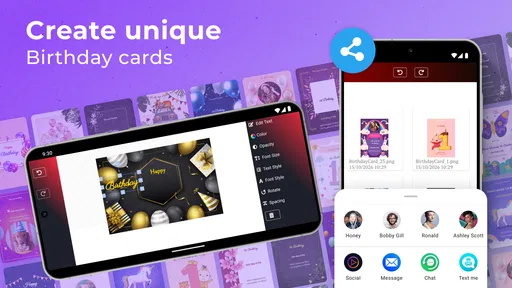
The app offers a vast array of templates that cater to all sorts of birthday themes. Whether it's a kid's birthday bash, a classy adult soirée, or even a surprise party, there's something for everyone. The templates are fully customizable, which means you can tweak everything from the color scheme to the font style. I found myself spending hours just playing around with different combinations—it's seriously addictive!
Features That Stand Out
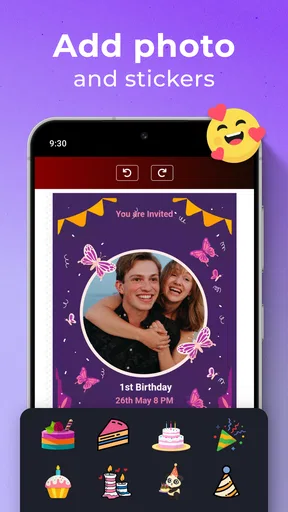
One feature that really impressed me was the option to add personal photos directly from your gallery. This adds a personal touch to your invites, making them truly one-of-a-kind. Plus, if you’re like me and love a bit of bling, you can add stickers and filters to make your invites pop!
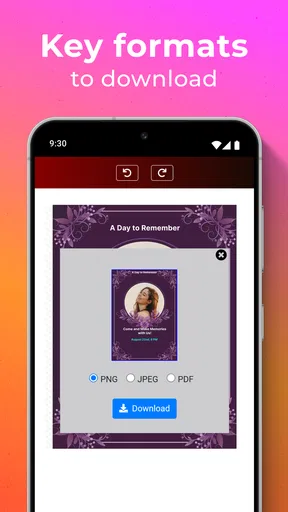
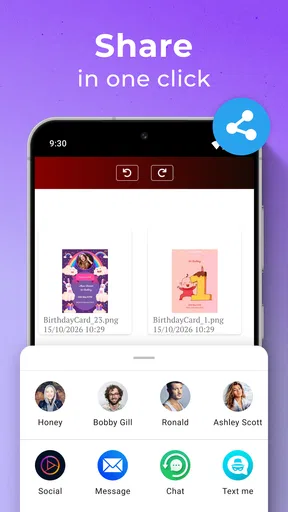
The app also supports various formats for saving your finished invitation. You can opt for a high-quality PDF for printing purposes or share your invite digitally via social media or messaging apps. This flexibility is a game-changer, especially in our fast-paced digital world.
Getting Creative With Ease
Another thing worth mentioning is how smoothly the app operates. I didn't experience any glitches or slowdowns during my time using it, which is always a plus. The developers clearly put a lot of thought into the user experience, ensuring everything runs like a well-oiled machine.
What's more, the app provides some handy tips and tricks for designing an eye-catching invite. If you're ever stuck for inspiration, there's a built-in guide to help spark some creative ideas. I found this feature super helpful, especially when trying to decide on the perfect wording for the invites.
Making the finished card work in real life
For a practical workflow, I’d keep the first draft uncomplicated: choose a theme, add the essential event details, then bring in a photo or decoration only if it improves the result. This order makes it easier to notice whether the wording is readable before the design gets busy. If the card will be shared digitally, I’d send a test copy to myself first and inspect it on a phone screen. If it is meant for printing, I’d check that the text and image still look clear when viewed at the intended size.
If an edit seems to disappear or a design looks different after saving, I would avoid immediately rebuilding the whole invitation. First, reopen the saved result and check whether the issue is limited to the preview or also appears in the final file. If the problem remains, make one small change at a time and save again. That approach makes it easier to identify whether a particular image, text arrangement, or export choice is causing trouble.
For a realistic example, imagine I’m arranging a small birthday dinner after work and several guests need the details quickly. I’d use a restrained design, put the date, time, and place where they can be read at a glance, and send the finished invitation through the messaging app the group already uses. The benefit here is not simply that the card looks nicer than a text message; it is that the essential information is gathered into one shareable item. I would still send a brief follow-up if guests need to confirm attendance or if plans change.
When another approach is better
This app makes the most sense when the goal is a birthday-specific card made without much setup. It is less suited to someone who wants precise control over a complex layout, needs a coordinated set of materials for a large event, or already works comfortably in a general-purpose design tool. A blank-canvas editor may offer more freedom, but that freedom usually comes with more decisions. A plain message is faster when appearance is irrelevant, while a ready-made card maker is a useful middle ground when I want some personality without building a design from scratch.
There is a trade-off between decoration and clarity. Photo effects, stickers, and colorful fonts can make an invitation feel personal, but too many competing elements can make the event information harder to read. I’d prioritize contrast and spacing, especially for older relatives or anyone viewing the card on a smaller screen. A clean design is not a lack of effort; for an invitation, it often makes the result more useful.
Birthday Invitation Card Maker is an app in the Art & Design category from Galaxy studio apps. It is free to install, is rated for Everyone, and its current version is 5.0.0, with Android 7.0 or later listed as the minimum operating system. It has a 4.7 average from around 9,600 ratings, and has passed 1 million installs. Those figures suggest it has reached a sizable audience, though I’d still judge it by whether its straightforward birthday-card workflow suits the way I plan parties.
Wrapping It Up
All in all, the Birthday Invitation Card Maker is a fantastic tool for anyone looking to create beautiful, personalized invitations with minimal fuss. It’s packed with features, yet remains incredibly easy to use, making it the ideal companion for both casual users and professional party planners alike.
If you’re gearing up for a birthday celebration and want to impress your guests right from the invite, I wholeheartedly recommend giving this app a try. Trust me, it's a game-changer in the world of party planning!
My recommendation is strongest for casual hosts who want a personal-looking invitation and are happy to keep the design focused. I’d be more cautious if you need exact brand-style control, a carefully matched suite of event materials, or a workflow built around professional print production; a more flexible design application may be a better fit in those cases. For an ordinary birthday, though, I’d start with a simple layout, proofread the details, and treat paid options as optional rather than part of the basic task. That keeps the process quick and leaves the invitation doing what it should: helping guests understand the plan and feel welcome.
Pros
- User-friendly interface for quick design.
- Wide variety of templates available.
- Customizable text and fonts.
- High-quality graphics and images.
- Easy sharing on social media.
Cons
- Limited free template options.
- Occasional in-app ads.
- Requires internet for full functionality.
- Some fonts may not support all languages.
- No option for video invitations.
FAQs for Birthday Invitation Card Maker
What features does the Birthday Invitation Card Maker app offer?
The Birthday Invitation Card Maker app provides a variety of customizable templates, allowing users to create unique and personalized invitations. It includes features like adding text, stickers, and photos, as well as the ability to change fonts and colors. The app also supports sharing invitations via social media and email.
Is the Birthday Invitation Card Maker app user-friendly for beginners?
Yes, the app is designed with a simple and intuitive interface that is ideal for beginners. It offers step-by-step guidance and easy-to-use tools, making it accessible for users with no prior design experience. Tutorials and tips are also available to help new users create stunning invitations.
Does the app require an internet connection to function?
The Birthday Invitation Card Maker app primarily works offline, allowing users to create and edit invitations without an internet connection. However, an internet connection is required for downloading additional templates and sharing invitations via email or social media platforms.
Are there any costs associated with using the Birthday Invitation Card Maker app?
The app is free to download and includes several free templates and features. However, it may offer in-app purchases for premium templates, additional design elements, and an ad-free experience. Users can choose to purchase these extras if they wish to enhance their invitations further.
Can I print the invitations created with the Birthday Invitation Card Maker app?
Yes, the app allows users to save their creations as high-resolution images or PDFs, suitable for printing. You can send the files to a printer directly from your device or transfer them to a computer for printing. This ensures your invitations have a professional and polished look.


